Record a browser task once, replay it for every row
A desktop recorder, a drag-and-drop column mapper, and a code generator that puts the loop in the right place.
What was in the way
A lot of back-office work is one web form, filled a few hundred times from a spreadsheet. The site has no API and no bulk import, so somebody does it by hand.
Recording the clicks is the easy half. Replay is where it falls apart. Run the whole recording once per row and the login page gets visited three hundred times, and the final submit fires three hundred times with it.
How it was built
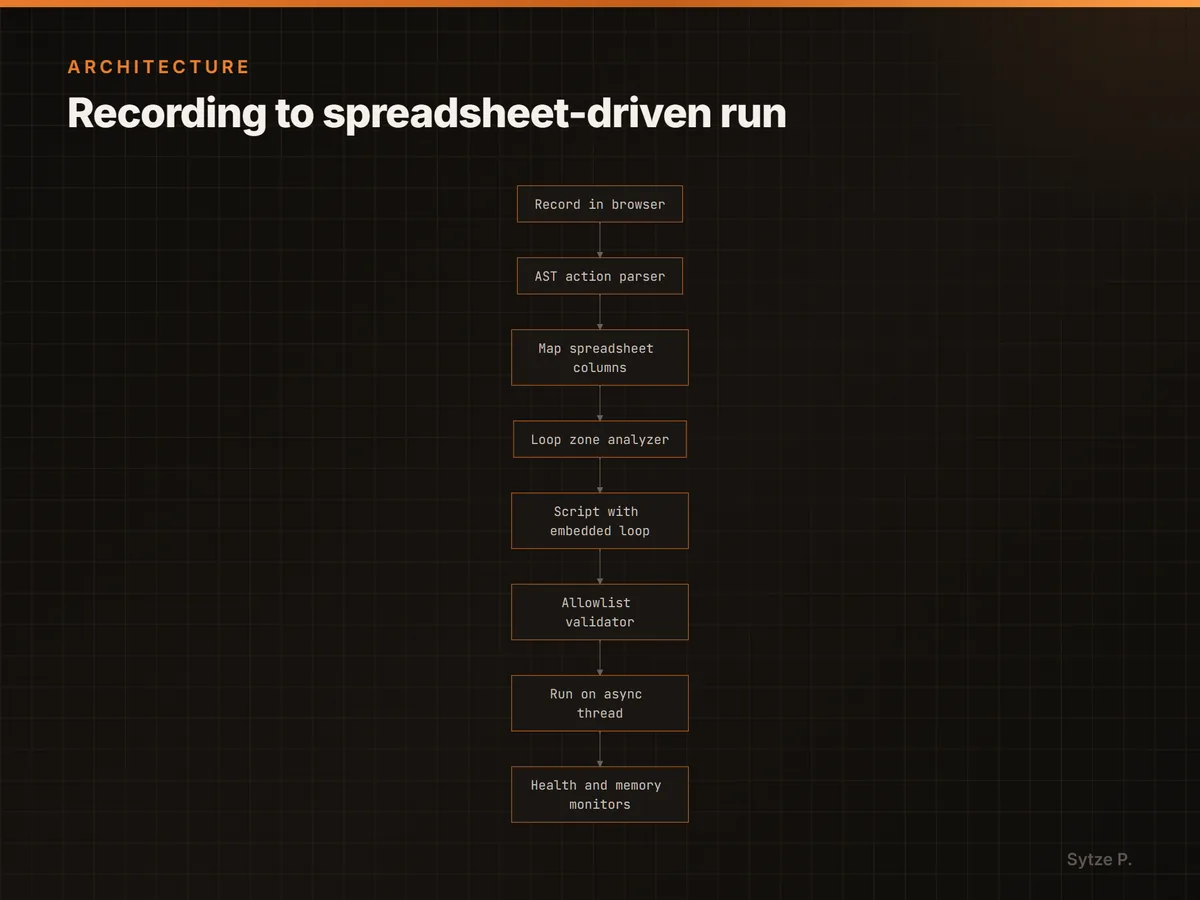
Recording uses Playwright's own codegen against a real browser. An AST parser turns that script into a list of actions, and you drag spreadsheet columns onto the ones that take data.
Those mappings locate the loop. An action with a column mapped to it belongs inside it, everything before the first mapped action is setup, everything after the last is cleanup, and the ambiguous actions between are placed by action type. The output is one script with the loop written in and row values injected, instead of the same script run N times.
How it works
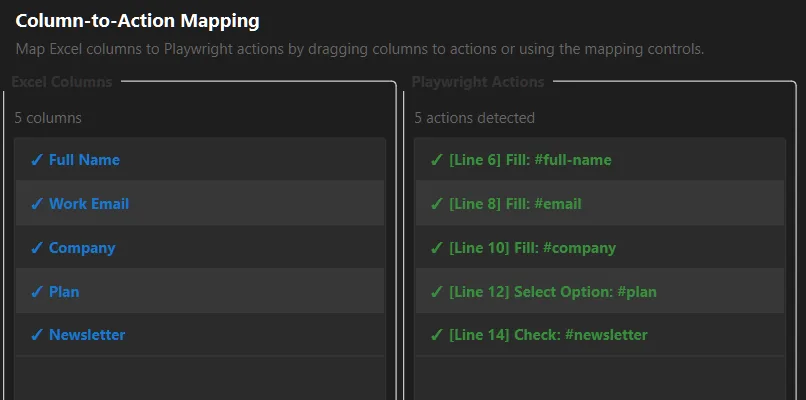
The mapping decides where the loop goes
Any action with a spreadsheet column mapped to it runs per row. Navigation and the final submit land outside the loop, where they belong, and you can move any of them by hand.
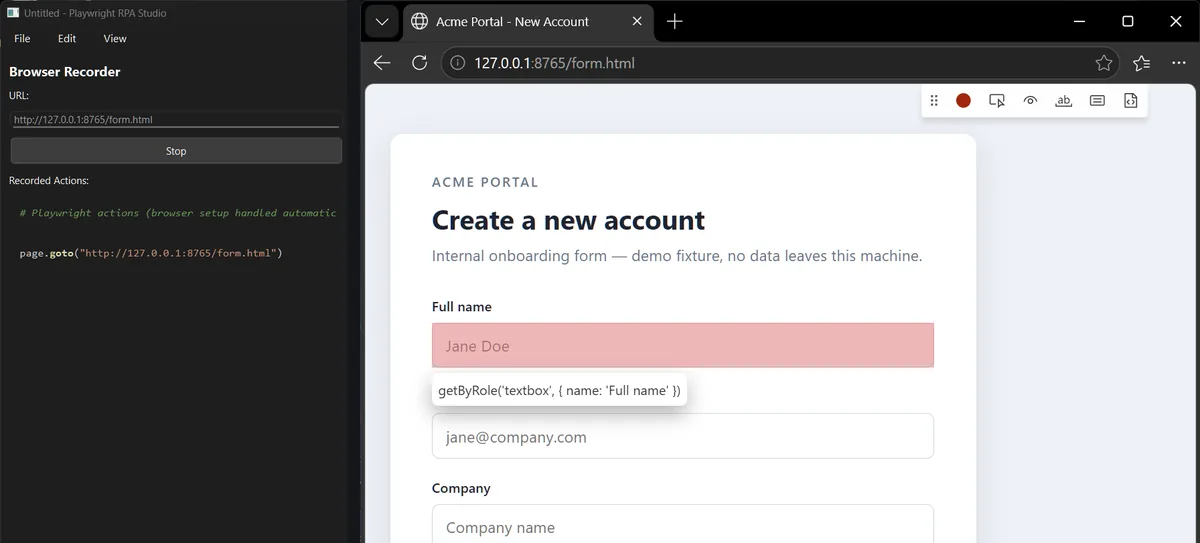
Recording is a real browser, not a script language
You click through the flow in an actual browser session and the generated Python appears in the editor as you go. Nothing to learn before the first run.
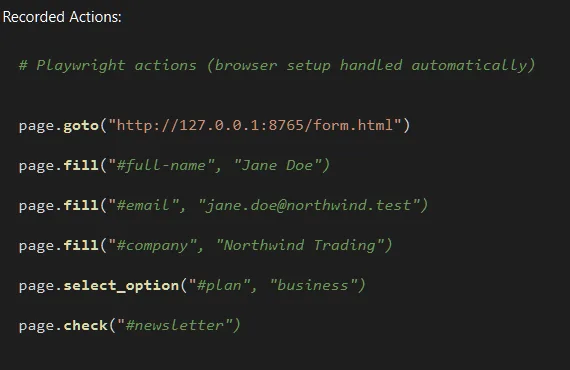
Generated code is checked before it runs
The script is parsed to an AST and matched against an allowlist of page calls, then executed in a namespace with no imports, no file access and no eval.
Built to survive a long run
Failed steps retry with backoff, a missing selector falls back through id, class, text and role, and a memory circuit breaker restarts the browser rather than letting the run die at row two hundred.